
Plan it yourself or let Nymiva plan it
Drag a workout onto a day, write your own, or let Nymiva build the season around your race. One calendar, the same checks, and every change can be restored.
You can do either, and you can switch between them whenever you like. Plan the season yourself on the calendar, or let Nymiva build it around your race and your training history, then change whatever you disagree with. It is one calendar, one set of checks and one record of every change, so neither path is a lesser version of the other.
Key takeaways
- Nothing in the plan is locked. Every session, week, block, zone and threshold can be edited by you.
- Letting Nymiva plan gives you a draft that has already read your race and your history. It is a starting point, not a verdict.
- Planning it yourself does not cost you the guidance. The checks, the reason behind each session and the read afterwards all still work on your plan.
- Drag and drop is on the web app. The Android calendar copies a day or a week instead.
Plan it yourself
Open the calendar on the web and the week is yours.
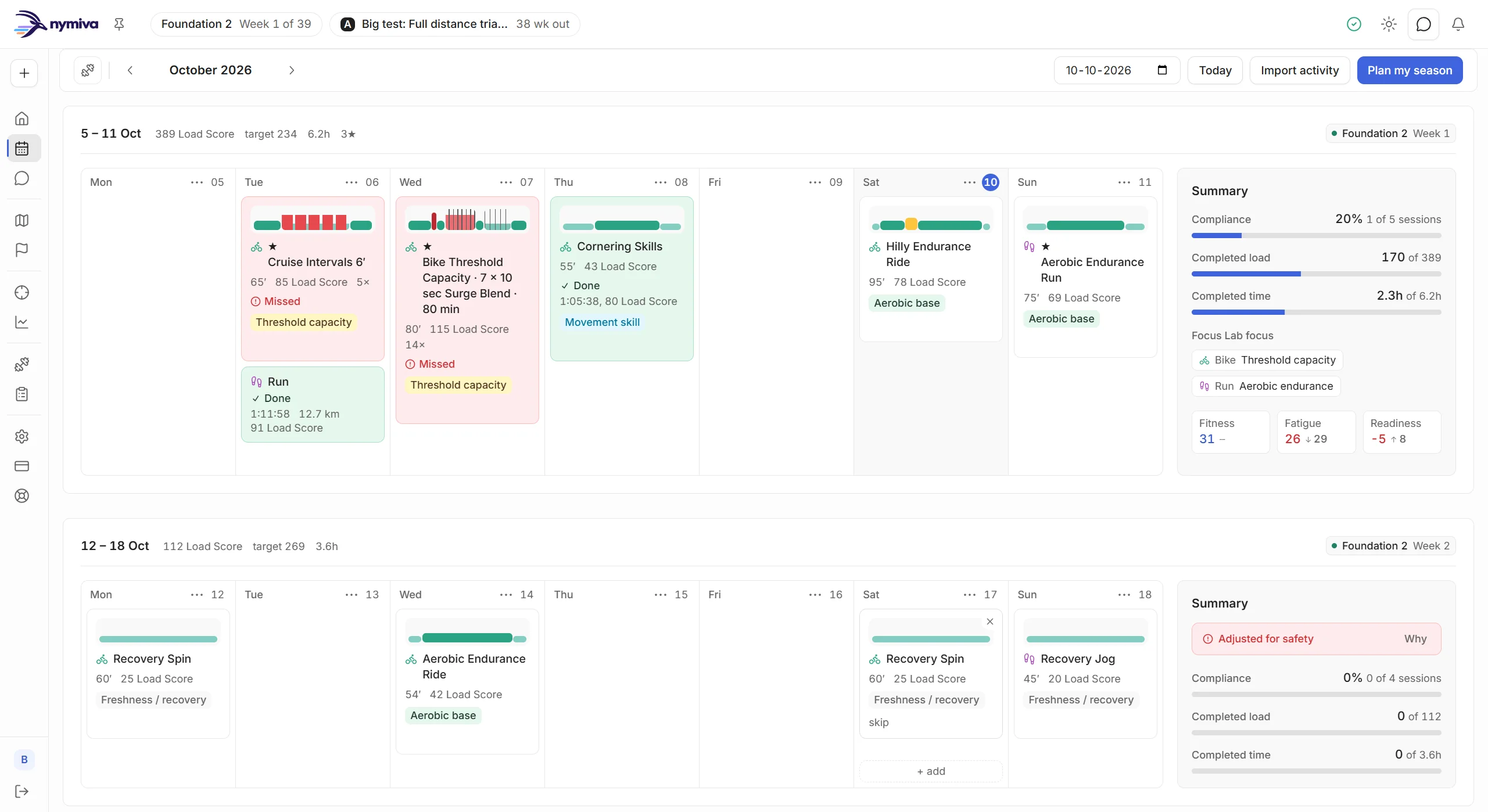
Place sessions where you want them. Drag a workout from your library onto a day. Drag a planned session to another day. Create a session from scratch and it lands where you put it. Nothing about the calendar assumes Nymiva wrote what is on it.
Write your own workouts. The builder takes warm-up, work, recovery, steady and cool-down steps, with a zone or target per step and repeats. Targets resolve to your own zones, and the load, intensity and zone mix update as you type, so you see what you built before you schedule it. The workout library shows what the vetted structures look like when you would rather start from one.
Edit the season, not only the day. Per week you can set the planned load, the phase, whether it is a recovery week and which ability each sport trains. Those edits are authoritative. The plan builds around them instead of quietly ignoring them.
Own your numbers. Set your thresholds per sport and your own zone boundaries. A new power or pace threshold read from your efforts, or a heart-rate threshold from a test you log, arrives as an update you accept or dismiss, never one that applies itself.
Undo anything. Every change to the plan is saved as a version with its reason. You can compare two versions, and restoring one is non-destructive, because the current plan is saved first.
Or let Nymiva plan it
Tell Nymiva your race. It reads the course, compares what the race demands with what your own training shows, and lays the season out backwards from race day. That is 8 to 32 weeks to one race, or up to 52 weeks with your races ranked A+, A, B and C, with the sessions each week needs already in place. How the season is built is its own article, and the gap it plans around is what the Focus Lab names.
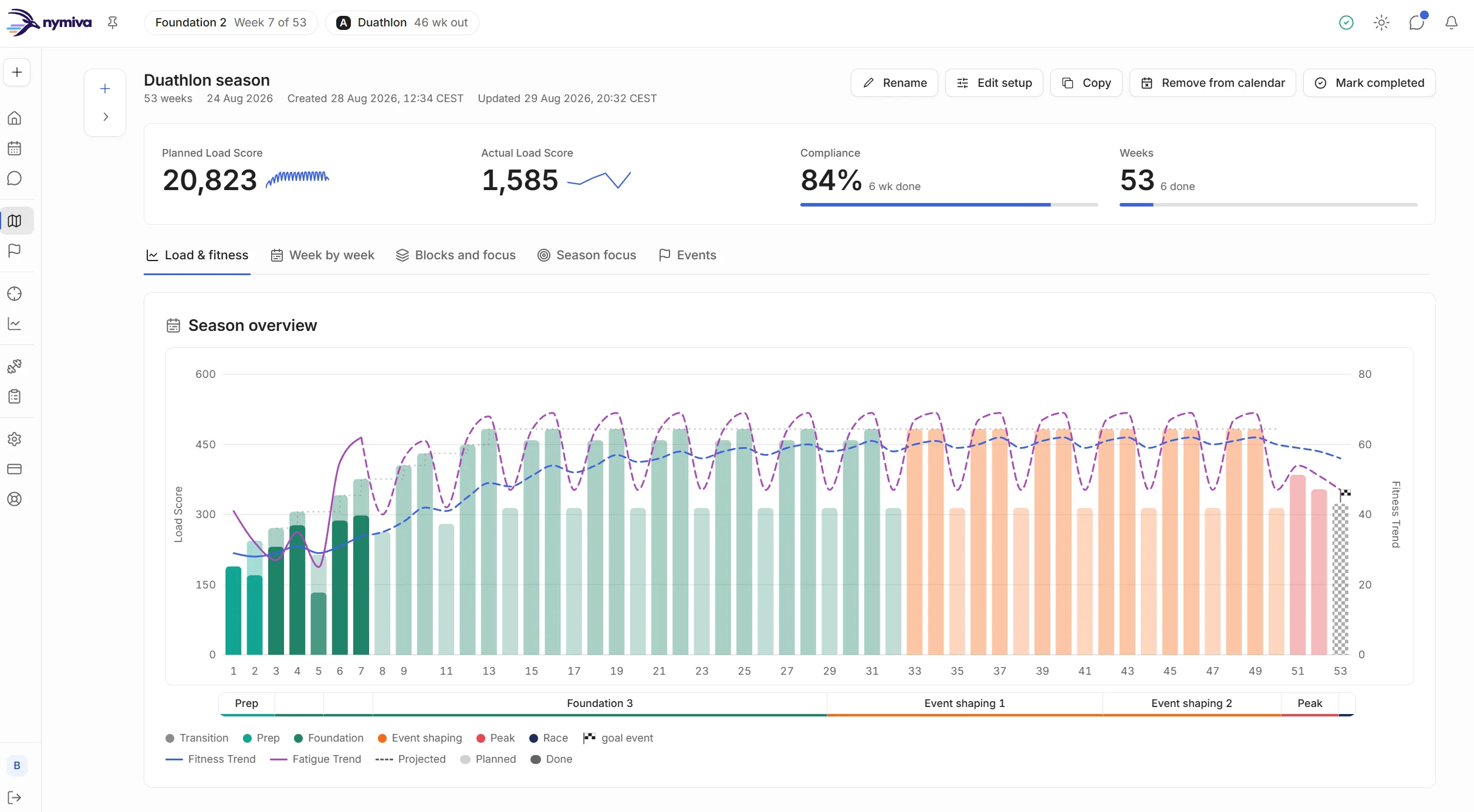
Nothing changes by itself afterwards. A missed session is forgiven, never piled onto later days, and changes arrive as ones you make or proposals you approve.
The middle path is the usual one
The choice usually on offer is a plan you follow without argument or a blank grid you fill alone. Both are worse than the middle. A draft that has already weighed your race and your history is cheaper to disagree with than a blank page is to fill, and arguing with something specific is a smaller job than making every decision yourself.
So take the draft and rewrite the week you know better than the engine does. Move the long ride because your Sunday is taken. Pin a focus because you already know where you lose time. Write your own threshold session and keep the rest. Build the season yourself lists everything you can change, one by one.
If you would rather begin with nothing, start an empty season on the web app: a name, the dates and, if you have one, your A race. Nymiva plans none of it. Or add sessions straight to the calendar and build outwards.
What you keep when you take the wheel
Taking control does not switch off the guidance.
The checks keep running on your plan. Hard-day spacing, progression rate, recovery and taper are checked against what you built, and you hear what a change costs before you find out the slow way. A structural error in a workout blocks the save. Almost everything else is a disagreement, not a veto, and it comes with a suggested fix you can ignore.
Every session still carries its reason. A session you scheduled from the library shows its purpose, why it sits in this week and the targets in your own numbers.
You still get a read afterwards. The Training effect tab on an activity reads it against what the session was planned to do, your week and your limiter, and says whether it came out as planned, easier, harder or short. It is a directional read from your load, zones, plan and limiter. It is a guide, not a substitute for how you actually feel, and it is Nymiva's own read, not a watch maker's score.
Which to choose
- You know what you are doing and want to write the sessions: plan it yourself, and let the checks watch your back.
- You have a race and want the season laid out for it: let Nymiva plan it, then change what you like.
- You are not sure yet: take the draft. It costs you nothing to rewrite a week, and every version stays restorable.
Pain, illness and injury concerns are escalated to you and to a professional. Nymiva gives training guidance and never medical advice.